概念-书写高质量SQL的若干建议
表结构:(有一个联合索引idx_userid_age,userId在前,age在后)
1 | CREATE TABLE `user` ( |
建议1
查询SQL尽量不要使用select *,而是select具体字段
理由:
只取需要的字段,节省资源、减少网络开销。
select * 进行查询时,很可能就不会使用到覆盖索引了,就会造成回表查询。
建议2
优化limit分页
反例:
1 | select id,name,age from employee limit 10000,10 |
正例:
1 | //方案一 :返回上次查询的最大记录(偏移量) |
建议3
优化like语句
反例:
1 | select userId,name from user where userId like '%123'; |
正例:
1 | select userId,name from user where userId like '123%'; |
建议4
尽量避免在索引列上使用mysql的内置函数
业务需求:查询最近七天内登陆过的用户(假设loginTime加了索引)
反例:
1 | select userId,loginTime from loginuser where Date_ADD(loginTime,Interval 7 DAY) >=now(); |
正例:
1 | explain select userId,loginTime from loginuser where loginTime >= Date_ADD(NOW(),INTERVAL - 7 DAY); |
建议5
应尽量避免在 where 子句中对字段进行表达式操作,这将导致系统放弃使用索引而进行全表扫
反例:
1 | select * from user where age-1 =10; |
正例:
1 | select * from user where age =11; |
建议6
Inner join 、left join、right join,优先使用Inner join,如果是left join,左边表结果尽量小
Inner join 内连接,在两张表进行连接查询时,只保留两张表中完全匹配的结果集
left join 在两张表进行连接查询时,会返回左表所有的行,即使在右表中没有匹配的记录。
right join 在两张表进行连接查询时,会返回右表所有的行,即使在左表中没有匹配的记录。
建议7
应尽量避免在 where 子句中使用!=或<>操作符,否则将引擎放弃使用索引而进行全表扫描
反例:
1 | select age,name from user where age <>18; |
正例:
1 | //可以考虑分开两条sql写 |
建议8
反例:
1 | select * from user where age = 10; |
正例:
1 | //符合最左匹配原则 |
建议9
反例:
1 | select * from user where address ='深圳' order by age ; |
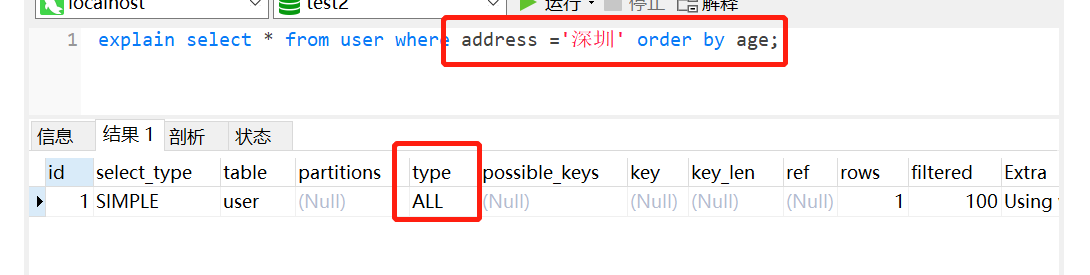
正例:
1 | alter table user add index idx_address_age (address,age) |
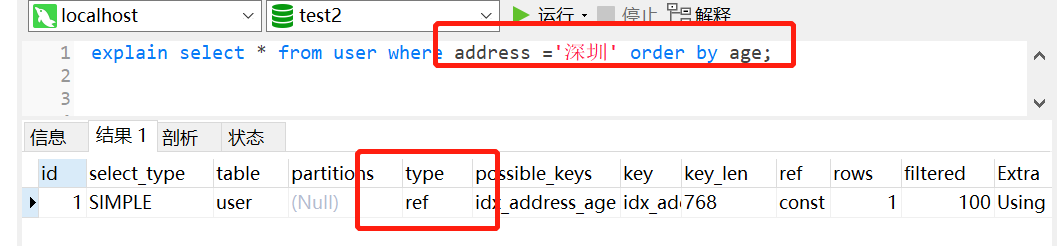
建议10
在适当的时候,使用覆盖索引
覆盖索引能够使得你的SQL语句不需要回表,仅仅访问索引就能够得到所有需要的数据,大大提高了查询效率。
反例:
1 | // like模糊查询,不走索引了 |
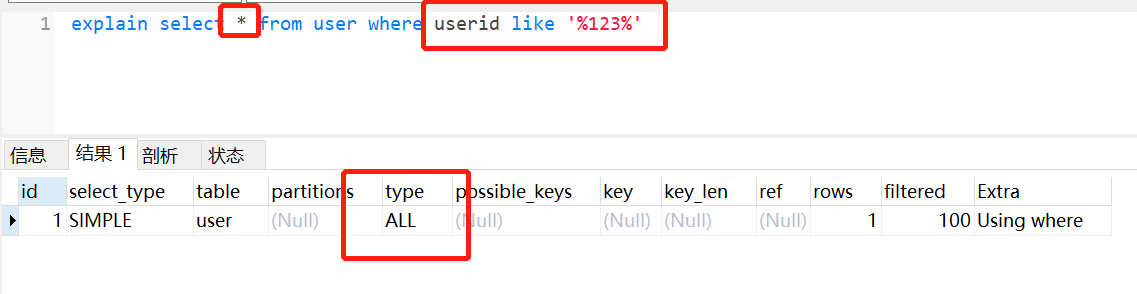
正例:
1 | //id为主键,那么为普通索引,即覆盖索引登场了。 |
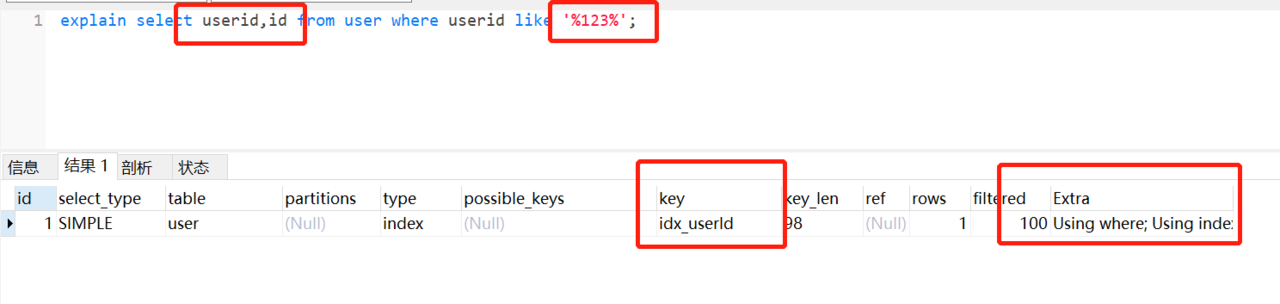
建议11
删除冗余和重复索引
反例:
1 | KEY `idx_userId` (`userId`) |
正例:
1 | //删除userId索引,因为组合索引(A,B)相当于创建了(A)和(A,B)索引 |
建议12
where子句中考虑使用默认值代替null
反例:
1 | select * from user where age is not null; |

正例:
1 | //设置0为默认值 |

理由:
并不是说使用了is null 或者 is not null 就会不走索引了,这个跟mysql版本以及查询成本都有关。
如果mysql优化器发现,走索引比不走索引成本还要高,肯定会放弃索引,这些条件
!=,>is null,is not null经常被认为让索引失效,其实是因为一般情况下,查询的成本高,优化器自动放弃的。
如果把null值,换成默认值,很多时候让走索引成为可能,同时,表达意思会相对清晰一点。